
If you want to track AI visibility with Claude or ChatGPT, you don’t need a paid tool to start. You need about twenty minutes, a Claude or ChatGPT account, and four prompts you run once a month. This guide shows you exactly how to track AI visibility for your brand, step by step, and what to do with what you find.
Back on October 26, I wrote about the new Generative AI performance report Google added to Search Console (Why Your Business Isn’t Showing Up in ChatGPT or AI Overviews). It’s useful, but it has one hard limit I flagged at the time: it only covers Google’s own AI surfaces. It tells you nothing about how your brand shows up when someone asks ChatGPT or Claude directly.
That gap is what this post fixes. You don’t need a dedicated GEO (generative engine optimization) platform to get a first real answer. Here’s exactly how I track AI visibility by hand.
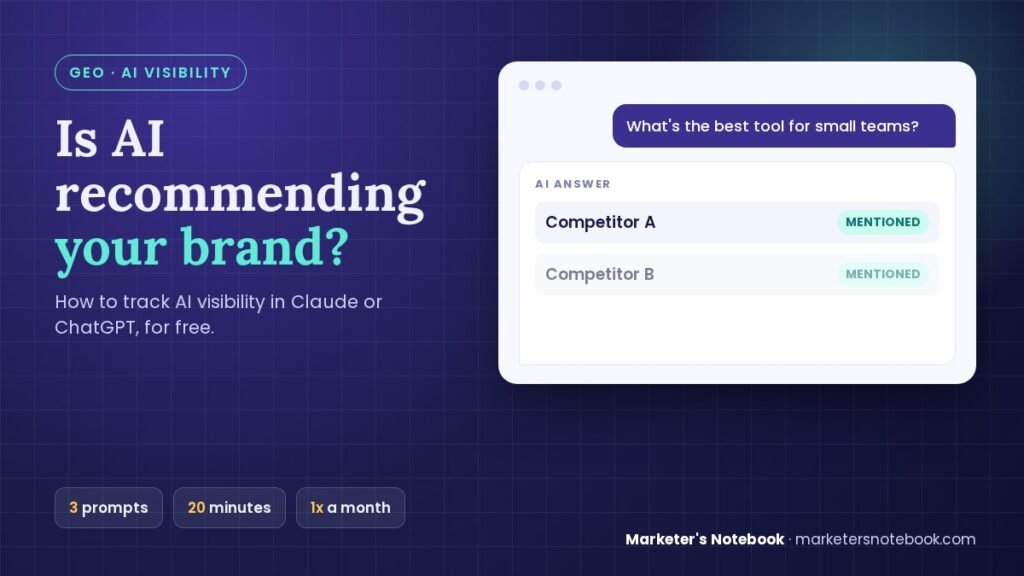
Quick answer: To track AI visibility with Claude or ChatGPT, open a fresh chat and run three prompts: an unbranded category question (do you show up?), a branded question (is the answer accurate?), and a competitor comparison (who gets named first?). Log the answers, repeat monthly, and fix gaps with clear, specific content on your own site.
What does it mean to track AI visibility outside of Google?
Search Console’s AI report measures whether Google’s own AI Overviews and AI Mode are surfacing your pages. That’s a different question from this one: if someone asks ChatGPT or Claude a question in your category with no mention of your brand name, do you come up at all, and if you do, is what the model says about you accurate?
That second question is what GEO is trying to answer. Traditional SEO optimizes for a ranked list of blue links. GEO optimizes for being the thing a language model reaches for, or at least gets right, when it’s synthesizing an answer instead of handing back a list of sources.
The two are related but not the same, and as of this writing, neither Claude nor ChatGPT (nor Perplexity) gives you a dashboard to track AI visibility automatically. Dedicated GEO monitoring tools exist and are improving fast, but most are paid, several are still early, and plenty of small businesses and solo marketers aren’t ready to add another subscription before they’ve confirmed there’s a problem to solve. So start manual. It costs nothing and takes less time than you’d think.
Why you should track AI visibility separately from the Search Console report
If you read the October post, you already know Search Console’s limits: it only shows impressions, not clicks; it only covers Google’s AI features; and it can’t tell you anything about ChatGPT or Claude specifically. Google’s own guide to AI features and your website covers that side.
What manual prompting adds when you track AI visibility this way:
- It tests the models you actually care about. If your customers are asking ChatGPT for recommendations, you want to know what ChatGPT says, not just what Google’s AI Overview shows.
- It catches wrong information, not just absent information. Search Console can tell you a page didn’t appear. Only asking the model directly can tell you it described your pricing incorrectly or recommended a competitor by name instead of you.
- It’s free and works today. No waiting for a report to populate, no minimum traffic threshold.
The tradeoff is that it’s manual, it’s a sample of one conversation at a time, and model answers can shift between sessions. That’s fine for a first check. It’s not a replacement for a dedicated tool once you rely on this channel for real revenue, and I’ll come back to that later in this post.
How to track AI visibility with Claude or ChatGPT in 4 steps
This is the actual method. Run it in either tool; the prompts work the same way in both.
Step 1: Start with an unbranded question
Open a fresh chat (not one with history about your business already in it, since that can bias the answer) and ask a question your ideal customer would actually type, without mentioning your brand at all. Something like:
- “What’s the best [your category] for [your specific audience/use case]?”
- “I’m looking for a [your product/service type]. What should I consider, and what are some good options?”
Read the answer as a stranger would. Does your brand come up at all? If it doesn’t, that’s your baseline, and it’s worth knowing before you do anything else.
Step 2: Ask a branded question
In a new chat, ask about your brand directly:
- “What do you know about [your company name]?”
- “What does [your company name] do, and who is it for?”
Check two things here: is the answer accurate, and is it current. Models are trained on data with a cutoff, and they don’t always know about a recent rebrand, a new product line, or a pricing change. If the answer is stale or wrong, that’s an actionable finding, not just a shrug-worthy quirk.
Step 3: Ask a comparison question
This is usually the most revealing prompt:
- “How does [your company] compare to [a specific competitor]?”
- “What are the top 3 [your category] companies, and why?”
Watch for which competitors get named before you do, and whether the model’s description of you (if it includes you at all) is favorable, neutral, or flat wrong. This is also where you’ll sometimes catch a competitor getting credit for something that’s actually your differentiator.
Step 4: Test a few variations and log what you find
Run the same three prompt types with slightly different phrasing (a more casual version, a more specific use-case version) since answers can vary by how the question is asked. Keep a simple running log: date, prompt, which tool, what was said, accurate or not. A plain note or a Notion page is enough to track AI visibility over time; the point is having something to compare against next time, not building infrastructure.
If you eventually want this logging step automated, my guide on how to choose AI marketing tools walks through what to look for before you pay for one. For a first pass, a plain note works fine.
What to do if you don’t like what you find
A few common patterns that show up when you track AI visibility, and what they usually mean:
- You don’t show up at all on unbranded questions. This usually means you don’t have enough content or outside mentions tied to that specific use case or question. It’s the same root cause as weak traditional SEO: thin content, low authority, or simply not having addressed that exact question anywhere publicly.
- The model knows your name but gets details wrong. This is often a training-data lag. Publishing clear, specific, up-to-date information about your product (pricing pages, FAQ pages, comparison pages) gives future model updates something accurate to learn from, even though you can’t force a correction today.
- A competitor gets named before you do. Look at what they’ve published that you haven’t: comparison content, category roundups, detailed FAQ pages. These are exactly the kinds of pages language models tend to lean on when synthesizing an answer, which is also the overlap with traditional SEO and content strategy.
None of these are fixed by one prompt or one blog post. But knowing which one you’re dealing with tells you where to spend effort, instead of guessing.
The limits of manual AI visibility tracking
I want to be direct about where this method runs out of road, because I don’t think “do it by hand” is a permanent way to track AI visibility, just a reasonable starting one.
- It’s a sample, not a measurement. One chat session is one data point. Model answers can vary between sessions, and you’re not seeing an aggregate across thousands of real user queries the way a dedicated GEO tool or an analytics dashboard would show you.
- It doesn’t scale past a handful of prompts and a monthly cadence. This works great for a first check and a repeatable habit. It’s not something you want to run by hand across fifty keyword variations every week.
- Dedicated GEO tools exist for a reason. As this category matures, platforms built to track AI visibility at scale, across more models and more query volume, are a reasonable next investment once this channel is meaningfully driving business. If you’re at that point, treat this manual method as your baseline and diligence check, not your only system.
A simple monthly routine to track AI visibility
Once a month, on whatever day you already review your other marketing numbers, spend 15 to 20 minutes on this:
- Run the same 3 to 5 prompts you used the first time (one unbranded, one branded, one comparison, plus any variations worth repeating).
- Note anything that changed since last month: new accuracy issues, a competitor appearing or disappearing, your own brand appearing where it didn’t before.
- If something’s wrong or missing, add it to your content backlog the same way you would a Search Console finding from the October post.
- Check back on whether a dedicated GEO tool makes sense yet, especially once you track AI visibility consistently and want more than a monthly sample.
That’s the whole system for how to track AI visibility each month. It’s not sophisticated, but it’s a real answer to “am I showing up in AI search,” which is more than most small businesses and solo marketers have right now.
FAQ
How do I track AI visibility for my brand for free?
Use Claude or ChatGPT directly. In a fresh chat, ask an unbranded category question, a branded question, and a competitor comparison, then log the answers. Repeat the same prompts monthly to track AI visibility over time without paying for a dedicated GEO tool.
What’s the difference between GEO and traditional SEO?
Traditional SEO optimizes for ranking in a list of search results. GEO optimizes for being accurately represented when an AI model synthesizes an answer instead of returning a list of links. They overlap heavily (clear, authoritative, well-structured content helps both) but they’re not identical, and GEO has no standard rank-tracking tool yet.
Can I track AI visibility the same way in Claude and ChatGPT?
Yes, the manual prompting method works the same in both. Run the same prompts in each and compare, since the two models are trained differently and can give different answers about the same brand. A consistent gap in one tool is worth knowing on its own.
How often should I track AI visibility?
Monthly is a reasonable starting cadence for most small businesses and solo marketers, the same way you’d review Search Console or GA4 numbers. If AI-referred traffic or mentions become a meaningful part of your business, consider a dedicated GEO tool that checks more often and at more scale.
Does this replace the Search Console AI report?
No, they answer different questions. Search Console tells you about Google’s own AI Overviews and AI Mode. This method tells you about Claude and ChatGPT specifically. Run both for the fuller picture, since neither covers what the other does.
What if I find inaccurate information about my brand? Can I get it corrected?
Not directly or immediately. You can’t edit a model’s existing training data on demand. What you can do is publish clear, accurate, specific information in places models are likely to draw from (your own site, FAQ pages, comparison content, reputable third-party mentions), which gives future model updates and live web-search features a better source to pull from.
Conclusion
Google’s AI report answers half the question. This method answers the other half, the part about Claude and ChatGPT specifically, and it costs you twenty minutes a month, not a new subscription. Run the four steps above this week, write down what you find, and you’ll be able to track AI visibility from a real baseline instead of a guess.
Have you checked how your brand shows up in Claude or ChatGPT yet? Try it this week and tell me what you found, especially if a competitor showed up where you expected to.
1 comment