
Your weekly status update shouldn’t eat your Friday afternoon. It’s 4:45pm on Friday. Your manager wants the weekly status update by 5. You open Slack, scroll back through five channels, and try to reconstruct a week you can barely remember living through. By the time you’ve pieced together what actually happened, you’ve spent 25 minutes writing a summary nobody will read past the first two lines.
That’s the real cost of the weekly status update: not the writing, the remembering. And it’s exactly the kind of busywork a Slack connector in Claude or ChatGPT is built to remove.
Quick answer: To automate your weekly status update, connect Slack to Claude or ChatGPT, then ask: “Summarize this week in [channel] into shipped, in progress, and blocked.” Turn that summary into a five-bullet draft in your usual tone, check it against what actually happened, and send it yourself. It takes minutes instead of a Friday-afternoon scroll.
Why is the weekly status update so painful?
Writing isn’t the hard part of a weekly status update. Reconstructing the week is.
By Friday, a typical week on a small marketing team is scattered across four or five Slack channels: a launch thread, a creative review, a quick decision made in a DM, a blocker that got resolved before anyone wrote it down anywhere official. Slack is built for the moment something happens, not for looking back over five days of it.
So the status update turns into an archaeology project: scroll, skim, half-remember, guess at dates, hope you didn’t miss the thread where a deadline moved. It’s a task that feels small on the calendar and expensive in actual attention, especially at the end of a week when you have the least energy left for it. If that sounds familiar, it’s the same pattern I wrote about in AI fatigue for marketers: the small, repeated tasks are the ones that wear you down.
What does connecting Slack to Claude or ChatGPT unlock?
Once Slack is connected, you stop scrolling and start asking. In plain English, something like:
“Summarize what happened in #launch-q4 and #marketing-team this week: what shipped, what’s still in progress, and what’s blocked.”
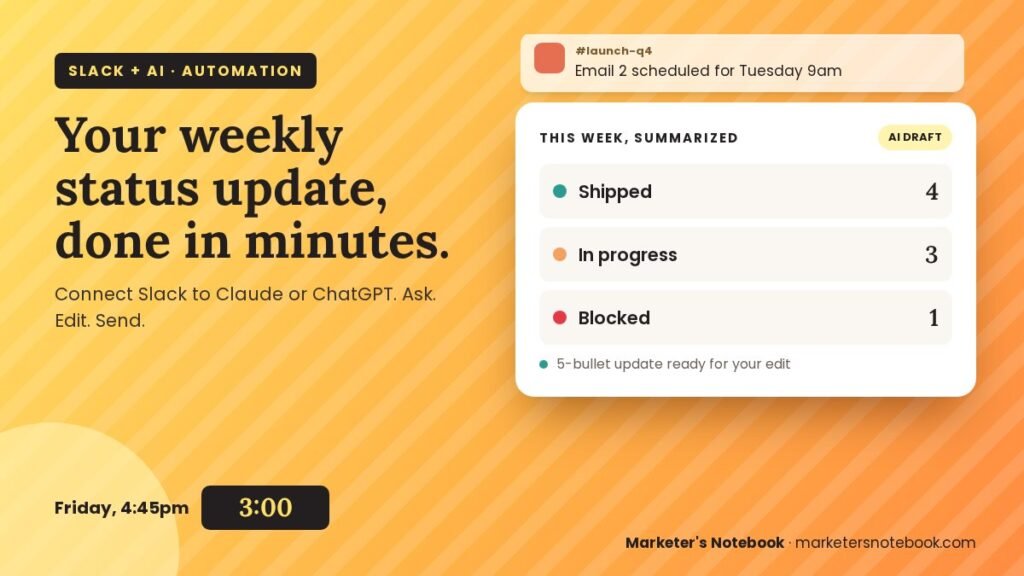
You get a pull of the actual conversation, not your memory of it, organized into shipped, in progress, and blocked. From there, push it one step further: “Turn that into a 5-bullet weekly status update for my manager, in my usual tone.” The AI drafts it; you read it, fix anything it flattened or misread, and send it.
That’s the whole shift. The connector does the remembering. You stay the editor, the same role I’ve leaned on in every post in this series: AI handles the retrieval and the first draft, and a person still owns what goes out the door.
How to connect Slack to Claude or ChatGPT for your weekly status update
As of this writing, both Claude and ChatGPT can connect to Slack, but neither offers it as one universal button on every plan, so the exact steps depend on your account type and your workspace admin settings.
- In Claude: the Slack connector is available on Team and Enterprise plans. A Slack admin first approves the Claude app for your workspace, then you turn on the Slack connector in claude.ai and authorize it. Anthropic’s Slack integration guide has the current steps.
- In ChatGPT: look for Slack under your connector settings. Availability depends on your plan and on whether your workspace admin has enabled it; OpenAI’s ChatGPT connector for Slack article lists what’s supported.
- Either way, start narrow. You’ll be asked to grant access during setup. Only connect the channels you actually report from, not your whole workspace.
Prompts to try for your weekly status update
A short starter list, once Slack is live in your chat of choice:
- “Summarize this week’s activity in [channel] into shipped, in progress, and blocked.”
- “Pull out anything flagged as a blocker across [channel 1] and [channel 2] this week.”
- “Draft a 5-bullet weekly status update for my manager from this week’s activity in [channel].”
- “What decisions got made in [channel] this week that I should log somewhere more permanent?”
- “Compare this week’s [channel] activity to last week’s; what’s actually new?”
What to watch out for
A few guardrails worth keeping, consistent with every connector covered in this series:
- Scope access narrowly. Grant the channels you need, not every channel “just in case.” Read access to a channel is not the same as that channel’s contents being safe to summarize into something you forward externally.
- It summarizes what was said, not what got done. If a task was only mentioned as in progress, the AI can’t independently confirm it shipped. You’re still the one who verifies a weekly status update before it goes to a manager or a client.
- Don’t let it auto-send. Even if your connector has write access back into Slack or email, read the draft first. A flattened or misread thread can misrepresent status in a way that’s hard to walk back.
Not sure which AI tool your team should standardize on for this? My guide on how to choose AI marketing tools walks through the questions to ask first.
FAQ
How do I automate my weekly status update?
Connect Slack to Claude or ChatGPT, ask it to summarize the week’s activity in the channels you report from into shipped, in progress, and blocked, then ask for a short draft in your usual tone. Review the draft before sending; the AI only knows what was said in Slack.
Does this work with Microsoft Teams or Discord too?
This post is scoped to Slack with Claude and ChatGPT, matching the rest of this series. Other team chat tools may get their own coverage later.
Will it also post the update back into Slack for me?
That depends on the specific connector’s write permissions. Even when it can post for you, read the draft before it goes out, the same rule as any AI-drafted message.
My team is small. Do we even need this?
Small teams usually feel this pain the most, since there’s no one else to delegate the weekly status update to and no second pair of eyes to catch what got missed in the scroll. A five-minute ask instead of a 25-minute reconstruction matters more, not less, on a small team.
Do I need a paid Claude or ChatGPT plan to use a Slack connector?
For Claude, yes: the Slack connector is on Team and Enterprise plans, and your Slack workspace needs to approve the Claude app. For ChatGPT, availability varies by plan and is changing quickly, so check OpenAI’s Slack connector article for your plan before assuming it’s included.
Conclusion
The weekly status update was never really about writing. It was about rebuilding a week you’d already lived through once. A Slack connector in Claude or ChatGPT does that rebuilding for you, from the actual conversation, so the only writing left is the editing.
Try it this Friday instead of next Friday: connect one channel, ask for a summary, and see how close the first draft of your weekly status update gets you. If this is a task you repeat every week, it’s also a good candidate for turning into a saved skill, which I’ll cover later in this series.
1 comment